Showing posts with label digital scrapbooking. Show all posts

Wednesday, June 27, 2012

Week 21 In Our Life

I know that I haven't been the best at updating what has been happening in our life lately.  Probably because too many good things have been going on.  So I thought I would share one of our weeks with you. You'll have to read about it in the layouts. :)  (You should be able to click on them to view them bigger.)

This year I really wanted to document our life. I am not completely caught up, but I am getting it done. After trying a thousand methods finding the one that I could actually do the Project Life Method has been the one that has clicked for me. Lately I haven't had much time to do anything scrapbook or designing related. When I have, all I've really wanted to do is record our story right now.  That is a good thing I think. Isn't that what it's all about anyway. Telling our individual stories.


Saturday, April 02, 2011

Do I need Photoshop?


My cousin asked recently in a comment if she really needs to get Photoshop in order to do Digital Scrapbooking. No you don't have to. But.... if you really want to be able to do all the cool things that are out there, create your own papers, use styles, brushes and honestly do all the fun cool things... then yes. You can create basic layouts in Word, which can be really tricky. You can do it in other Photo editing programs as well such as Paint Shop Pro, or Microsoft Digital Image. But honestly... if you want the best and want lots of options and tools then Photoshop Elements is the only way to go.

Many people get confused and think that they need to buy the large Photoshop CS5 for $700.00. WRONG. That program is for designers and people that are creating anything from scratch, do it professionally, and are pro's. If you are just wanting to digital scrapbook all you need is Photoshop Elements.

The newest version is 9.0 and is $79.00 if you get it straight from Adobe. Sometimes you might get lucky and get some version of it with a new printer or other software bundles. But honestly do you need to pay $80.00 and get the newest version?

When I first started, Adobe had released either version 4.0 or 5.0. It was around $79.00 and I could not afford that at the time. We were broke. My boss told me to look it up on the internet and find an older version which would do everything I needed it to, and so I found 2.0 for $20.00. It did everything I needed it to, and I could afford that price. If you don't want to spend $79 then look on the internet for an older version. I just looked up Photoshop Elements 4.0 software and found some on amazon for $30 - new, or $15.00 used. (someone upgraded to a newer version and is getting rid of their older version.) I looked up 6.0 and found some on Amazon for $60 new, or $20 used. There are options out there for cheaper versions if you are on a tight budget. If you feel like you want to go with the newest version because you plan on using it forever and that way it won't become too outdated - go for it.

Photoshop does have a learning curve though, and as my mom found out from getting the digital download version, that there is no instruction book. (Unless she goes to help within the software and reads it on the internet) but even then it won't necessarily tell you how to scrapbook with it.


You might want to consider finding other tutorials, books, or videos that teach you how to use it. One example is Scrapbook Software Secrets Revealed: Photoshop Elements that is sold in our store at ScrapGirls. The CEO of ScrapGirls, taught herself how to digital scrapbook using Photoshop Elements, and eventually created a series of 33 videos that teach you all the basics you need to know to create great layouts and use all the tools in Photoshop Elements. It is well worth the money, if you'd really like to learn how to use the program. There are other things out there and available on the internet as well.

At ScrapGirls we also put out a daily newsletter that has tutorials in it to teach you basic skills and fun creative techniques to use in your scrapbooking. It's free and you get free scrapbooking supplies with it too. If you prefer not to get it everyday then you can sign up for the weekly roundup which is a summary of all the tutorials, products, and articles sent out through the week.

It can seem intimidating at first, or out of reach. But there are ways of doing it for an affordable price, and learn how to do what you would REALLY like to do. Honestly, I promise if you were to buy Elements, and then take the time to learn how to use it, you will never regret the purchase. You will use it for everything! Editing photos, creating handouts, making calendars, gifts, and of course digital scrapbooking. If you have any questions, please feel free to ask! I'm more than happy to answer them!

Tuesday, December 01, 2009

December Already

The time has flown. We spent a relaxing holiday with our families over the break. It was nice to see family, relax and remember how blessed we are.  I am so grateful for the wonderful life and family the Lord has blessed me with. 

Today I finally get to share my big project that I’ve been working on for the last couple of months… ok many months it seems. I think everyone close to me will be glad that this is officially finished.  I was asked to do club for ScrapGirls this month. Which is a lot of work, but a great opportunity.  So here she is!


STI_Promise_CollBiggie_MKTG_600 STI_Promise_PaperMini_Brown
STI_Promise_PaperSuperMini_Brown copy
STI_Promise_Paper_Painted
STI_Promise_WordArt_Mini STI_AYO-Zoom_Promise_MKTG_600 STI_Promise_Embell_SuperMini_MGKT_600 STI_Promise_EmbellBiggie_MGKT_600STI_Promise_PaperBiggie_MKTG_600STI_Promise_PaperSamples_CollectionBiggie_MKTG_600STI_Promise_PaperSuperMini_MGKT_600STI_Promise_WordArtMini_MGKT_600STI_PromiseWood_PaperSuperMini_MKTG_600A HUGE thanks to everyone that helped me out during all of this. I owe you big!     
Monday, June 22, 2009

Playing around

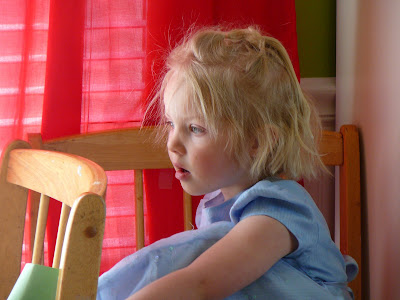
I love experimenting in Photoshop and trying to see what kind of effects I can create, especially any that look similar to fine art media. I played around this photo using my ScrapSimple Tools - Styles: Watercolor 4901.

I came up with this similarity to a watercolor painting. It could still use some tweaking, but I love coming upon some new technique that I can play around with and create various effects with. Too much fun. Ok I'm off to work on some stuff that NEEDS to be done. :)


Wednesday, February 25, 2009

Drawing and Painting with the computer.


About a week ago I released the class that I taught at the Scrap Girls Convention this last fall in the boutique. The book teaches you how to create the look of a drawing or painting using dynamic brushes. It is quite fun actually. It comes with a dynamic brush set that gets you started, and a pdf with instructions. I can't seem to get enough of it! :) Here's a few layouts using the technique.


This one has the look of a drawing using the pencil dynamic brush. You can find the list of supplies here.

This one uses a paint stroke dynamic brush to create the look of a painting. You can find the list of supplies used here.

Saturday, February 21, 2009

I am a digi-packrat


After reading this great article I have have come to terms to that I am a pack rat - digi pack rat. I've also been learning this lately as my computer has been bogged down and running SSOOOO slow. I've had to get another hard drive, and have been in the process of trying to move files over and clean up so that I can get this thing moving faster. My husband and I have come to the conclusion that we need to clean it off, reinstall programs and do a good cleaning, formatting, etc.

But after reading this article I realize that I really need to do some major simplifying as well. It's been so frustrating to try to work on big projects while moving so slowly that it has become pointless to even be try to be working on these things.

So for the next little while... I'm going to start simplifying my digi stuff. I've been trying to simplify other areas of my life and it's been going well.... but now it's time to simplify this area of my life as well. So that it's more efficent, more simplier, and more enjoyable.

Thursday, February 19, 2009

Parables


One of my favorite things about reading the scriptures are the parables, allegories and imagery that they have. They excite me a lot. They are such a visual story to me and the levels of depth that they can take on.

A few weeks ago I taught a lesson on Matthew 13 - the Parable of the Sower. It was such a fun lesson to teach and ever since then I've had this desire to just play around and see what kind of visual images I could come up with for these parables and allegories I love so much.

So last night to relax I decided I was going to play around for me and work on a series of 4 images for the 4 types of ground the seed or word of God landed on. I was only able to get 2 done before I forced myself to pull away from the computer so I could get some sleep. (Only to be woken up 4 more times in the night by kids.)
It was so enjoyable though that I'm dying to finish up the other two.

Supplies Used: Natural Wonders Collection: Autumn Foliage, Clouds, The Innocent Imaginations, The Great Outdoors - Element Pack, Kingdom Collection Biggie, ScrapSimple Paper Templates: Artsy - Watercolor1, Morgue File,

Thursday, January 29, 2009

Stop Me Now!


I ran across this site called Spoonflower on Kal's blog... and boy I should have never went there. It has my brain going and has me itching like crazy to try designing my own fabrics. Lately I've been getting back into sewing. My mom loves to sew all kinds of things and I think it would fun to work with her and come up with some cool fabrics she could use in her sewing projects and quilt making. The possibilities.

So I wanted to check out really quickly how it worked, so I uploaded a fast .png I had on my computer of a cowboy from Mandy's Wild West Collection, and ended up with this.

Which could be so cute! I have some little nephews that are all cowboys! This would be so fun to make something like this up, with some of her other cute little drawings like horseshoes, stick horses etc, and possibly change the background colors to something besides white.
(Note: If using images from digital scrapbook collections you have purchased, you could only print the material out for your own personal use. You could not sell it in anyway - in a project you made or the fabric itself. You also could not make it public in Spoonflowers design viewer and claim it as your own.) But the possibilities out there. Create your own drawings. Have your kids draw their own patterns.


Here's another quick sample using a paper of Erica's from her Bouncing Baby Boy Collection. If you used a 12 x 12 paper, and uploaded it it will be big enough for a fat quarter when it's made 150 dpi.

This excites me because I was trying to find fabric I loved for curtains that would match my green walls we just painted. 5 stores later - I could find nothing... so I had to result to solid cherry red, which I am excited about. (Bizarre color combo I know... but it's looking really good.) But now I could have designed my own!

I have to admit that I am super cheap. So their price per yard holds me back. Which is probably a good thing so I don't go crazy with it. But I was thinking that I might be able to create a design that is the size of a yard of fabric which is divided into 4 coordinating fat quarter designs, that could be printed on one yard for $18, rather than $44 dollars for 4 seperate fat quarters. I'm not sure yet if that would work since it has to be under a size limit. But I'm going to try.

The only other way I can justify that much is if I have my one yard of designed fabric, and color match it with just solid cotton fabric that I can get for $2-3 dollars a yard with a 40% on top of that - meaning $1 - $1.50 a yard. Then for 3 yards of fabric I could create a matching project for roughly an average of $5.50 a yard... plus I'd have the exact colors I want, the design I want... hmmm the girls bedroom which is soon to be redone is calling my name I think! :)

Here's Kal's designs she had posted on her site which are think are so much fun!


Check out some of these cool fabrics and projects on their flickr pool.
cute little animals
fun bird panel
cute little dolls
darling fabric book
more fun animals
whimsey flowers and birds
peanut butter fabric book

Monday, November 24, 2008

ABC Fun

This is definitely a sign of my life lately. :) I created this new kit in September. In time for the new school year. I finally got it in the store and activated today... November... Thanksgiving... almost Christmas. Oh well. That's my life. Crazy busy. Crazy good. I had so much fun making this collection. It's the first collection where I actually included some of my own illustrations. I also love the bright fun, colors. It reminds me of my days teaching elementary art.

This layout is my favorite one from the matching brushset. I love this picture of Savannah. It is so her. And she is so me. I always wondered if I would raise another creative artist. Well here she is.

(I am also going to be lazy,since I'm typing this on my laptop. It takes me forever to add links, so if you'd like a list of the supplies used to make this collection, click on the layout and you'll find the supplies listed in the description.)

Wednesday, October 29, 2008

I need your help digital scrapbookers.

Honestly. That means I really want you to respond and post something under the comments. I need some ideas of digital scrapbooking techniques you wish you knew how to do or would like to learn. Things that you would consider advanced, or would have no idea how to create. You can describe it to me, or you can give me a link to a layout or technique you'd like to know how to create. You can look through my gallery or others. For those of you that attended convention and the classes, what do you wish I would get up there and teach you. For those of you that do respond - No I'm not going to post a tutorial on this blog on how to do it. You'll know why I'm asking the question shortly and it will probably be worth it to you to show me your idea. So what do want to learn how to do. Please help me out!!!! Pretty please!

Monday, March 10, 2008

Finally!

After a long tiring, frustrating night with nothing working, I finally got my new collection in the store, only 4 days later than I had wanted to. Oh well... off to bed for some much needed sleep!

Part 1: How do I get started?

I have people ask me all the time what they need to do to get started doing digital scrapbooking. I love that question! Before they know it they are bombarded with all the great things about digital scrapbooking and more information than they know what to do with. So I thought I would break it up a bit for those of you that are wondering and give you small steps on how to start.

So here is what you need to do:


Download this free ebook. I'm serious. And then READ it. It will give you the basic information on what digital scrapbooking is, how to get started and what you need to start doing it. It is free and it will give you more information than I possible could write all here. You can download it here.

Next you need some photo editing software. The most popular is Photoshop Elements. Check around your place first sometimes it will come with a new scanner or printer and you might already have it. To be honest I think that if you seriously want to do it, don't settle for any software other than Photoshop Elements or PSE. The others like Microsoft Digital Image pro are ok to start with, but you will soon find that you are really limited in what you can do.

The latest PSE version that is out is 6.0, which will cost you the most money. But if I were trying to save a few bucks I would go with an older version up to about 3.0 and you will still be able to do EVERYTHING. And you'll save yourself tons of money.

You can also download a free 30 day trial version here at at adobe of the 6.0 version to play around with.

You will need to get the correct version of software for your computer. If you have a Mac, you'll need the mac version. These are not interswitchable. Later when you purchase Digital scrapbooking supplies, they will work on either a PC or a MAC, but your basic software editing programs do need to be specific to the computer you are running.


So these are the very first basic steps. Read the ebook and then get the software. Get the software and load it on your computer.